Triebstahl Blog
IT, Tech, Bikes and various Stuff
Project maintained by CaptainPsycho Hosted on GitHub Pages — Theme by mattgraham
| Date | 2023/02/28 |
| Tags | #Proxmox, #Debian, #LXC, #TurnkeyLinux |
Update Turnkey Linux LXC Debian Conatainer running on Proxmox VE from Buster to Bullseye
The recommended way of upgrading is to save your changes with tklbam, use a fresh and updated Turnkey image and reimport all your changes. When you do not want to go this way and just update the Debian version you can follow this howto.
This will not update the Turnkey version.
HowTo
- Proxmox Upgrade vom 6.x to 7.x
- Update current system
apt updateapt upgrade
- Update Repositories
sed -i 's/buster\/updates/bullseye-security/g;s/buster/bullseye/g' /etc/apt/sources.list.d/*
- Update repo signed keys
codename=bullseye
key_dir=usr/share/keyrings
url=https://raw.githubusercontent.com/turnkeylinux/common/master/overlays/bootstrap_apt
for repo in main security; do
    full_path=$key_dir/tkl-$codename-$repo
    keyring=$full_path.gpg
    keyfile=$full_path.asc
    wget -O /$keyfile $url/$keyfile
    gpg --no-default-keyring --keyring /$keyring --import /$keyfile
    rm /$keyfile
done
- Update to new version
apt updateapt dist-upgrade- keep current configurations
apt autoremoveto clean up old packages
- reboot and check services
Troubleshooting
Service in container is failing to start with “NAMESPACE” Error
For this container the feature nesting has to be enabled on the conatiner on the Proxmox host.
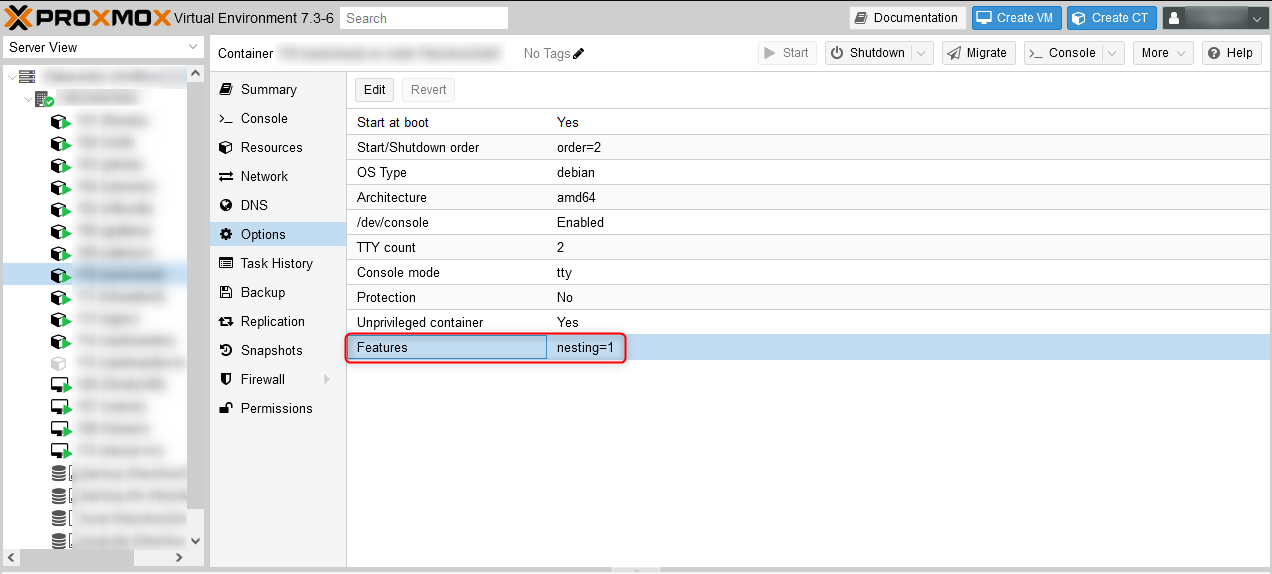
Redis not starting because it cannot find it’s run folder
This was giving me headaches when updating Turnkey Nextcloud V16.1 from Debian 10 to Debian 11.
After the Update Redis was not starting as daemon anymore because it was not able to create it’s pid and sock file in /var/run/redis/.
Starting redis as non deaemon was working fine.
/var/run/redis/ was not present after starting the machine after the update.
Despite it should be created when looking at /etc/init.d/redis-server it was not there.
Manually creating the folder worked. But it was deleted on restart of the service or reboots.
Solution was to create a file /usr/lib/tmpfiles.d/redis-server.conf with content:
d /run/redis 0755 redis redis
Now on each reboot the folder /var/run/redis/ is created and permissions are set properly.